
Pesty
A free, open-source clipboard manager for Mac.
or brew install --cask momenbasel/pesty/pesty
Pesty is free and open source. The one-time Mac App Store fee is optional - it only helps cover the yearly Apple Developer Program fee that keeps the app signed and notarized. The exact same app is free via Homebrew or direct download.
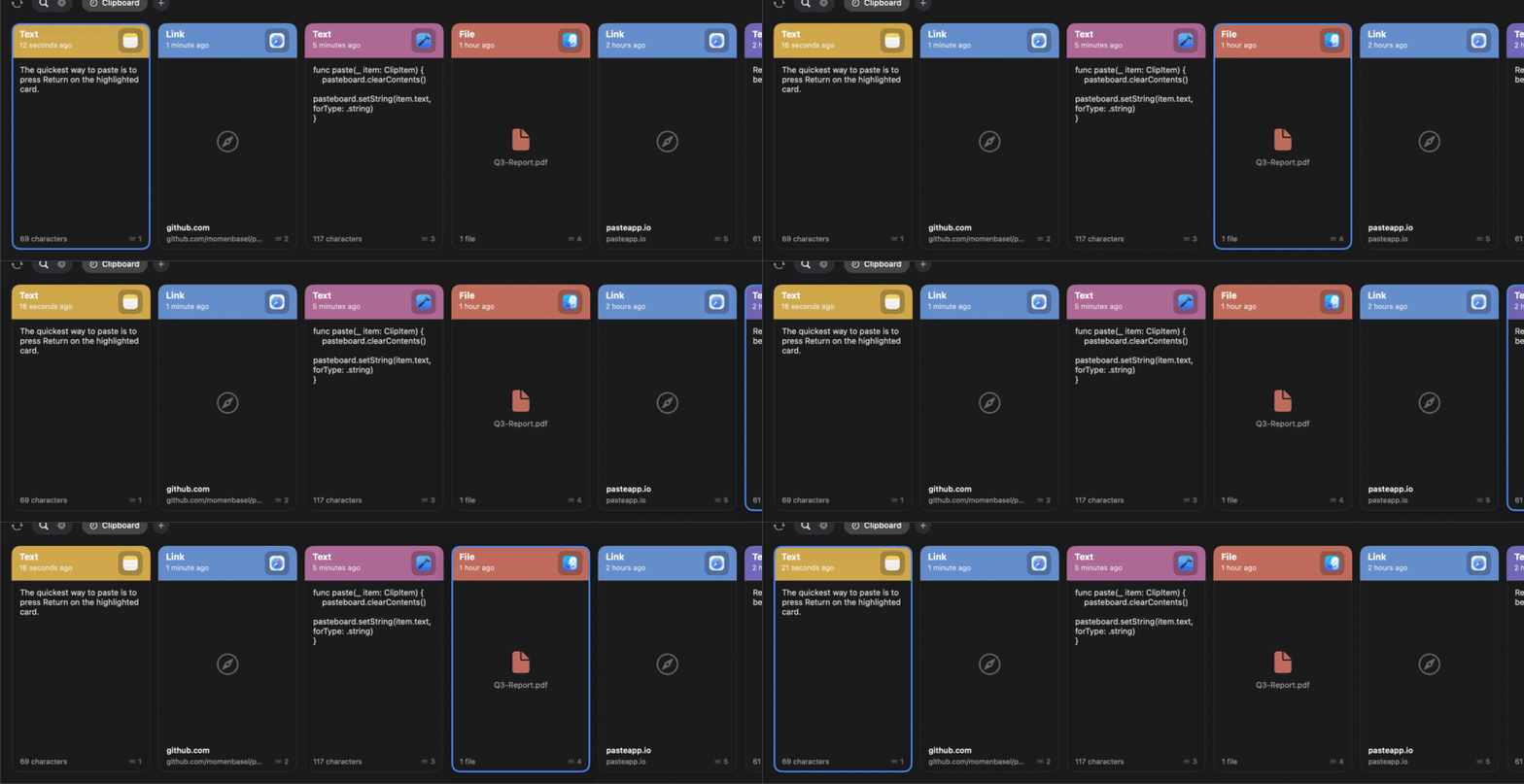
The Paste experience, free and open source
Pesty keeps a history of everything you copy and brings it back with a keystroke. Press the global shortcut and a color-coded strip slides up from the bottom of your screen. Pick a clip with the arrow keys, press Return, and it pastes straight into the app you were using. It is a native SwiftUI reimplementation of the Paste app - and it is free.
Features
Clipboard history
Text, links, images, files, rich text, and colors - all remembered.
Color-coded cards
Each clip is tinted by the app it came from, with a preview and timestamp.
Pinboards
Save the snippets you reuse into named collections that never expire.
Instant search
Just start typing to filter your whole clipboard history.
Keyboard-first
Arrows to move, Return to paste, ⌘1–9 to quick-paste.
Private by default
Everything stays on your Mac. No data collection, no network calls.
How Pesty compares
| Pesty | Paste | Maccy | |
|---|---|---|---|
| Price | Free (optional one-time fee on MAS) | Subscription | Free |
| Open source | Yes (MIT) | No | Yes |
| Color-coded strip UI | Yes | Yes | No (list) |
| Pinboards | Yes | Yes | No |
| Native (no Electron) | Yes | Yes | Yes |
Install
brew install --cask momenbasel/pesty/pesty
Or download the signed, Apple-notarized DMG from GitHub. Requires macOS 14 (Sonoma) or later. Universal - Apple Silicon and Intel.
FAQ
Is Pesty really free?
Yes - free and open source under the MIT license on GitHub, and installable with Homebrew. The Mac App Store build carries a small one-time fee, but it's optional: it only helps cover the yearly Apple Developer Program fee that keeps the app signed and notarized. It's the same app either way.
Is it a good Paste app alternative?
Pesty reimplements the parts of Paste people use every day - the slide-up strip, color-coded cards, pinboards, search, and keyboard pasting - as a free, native, open-source app.
Does it keep my clipboard private?
Yes. Nothing leaves your Mac. Pesty has no servers, no analytics, and ignores clips marked concealed by password managers.