Your iOS device manager for Mac

Your iPhone.
Your terms.

Keep local backups. Export your conversations. Get photos and files off your iPhone, with a native Mac app.

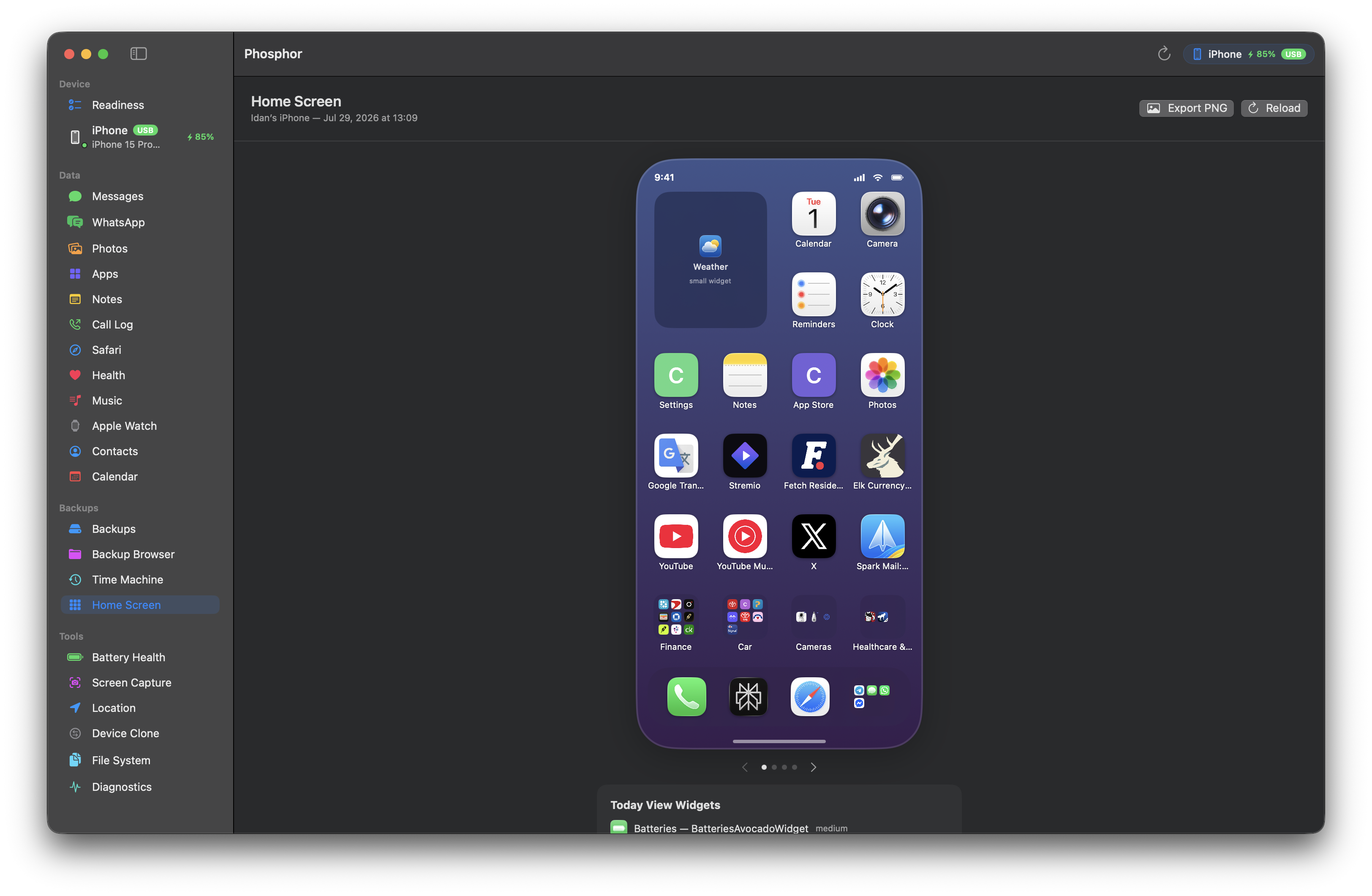
Phosphor's native Mac interface browsing an iPhone Home Screen saved in a local backup
Home Screen browser. Screenshot by shinycake.

macOS 14+Sonoma or later

Apple silicon + IntelUniversal Mac app

Free and open sourceMIT license, no subscription

More from the backup you already have.

Browse your data without restoring your whole phone. Choose what to keep, then export it to your Mac.

Backups

A local copy.
A useful one.

Create full or incremental backups, schedule them over USB or Wi-Fi, and explore individual files with the backup browser.

Open encrypted backups with your password. Export portable .phosphor archives for storage elsewhere.

Set up your first backup

Conversations you can keep

Read iMessage and SMS from a backup, then export to CSV, HTML, JSON, or plain text. Browse WhatsApp Personal and Business backups too.

Your photos, in your folders

Browse backed-up photos and videos, filter your library, and extract selected files with original filenames preserved.

Contacts, calendars, and app data

Export contacts as vCard or CSV and calendar events as ICS or CSV. Extract app containers from backups and inspect saved Home Screen layouts.

A backup, or a connected device?

Different tasks use different sources. Phosphor gives you tools for both.

From a local backup

  • Read and export messages, photos, contacts, and calendars
  • Browse files and preview backup contents
  • Extract app data and view saved Home Screen layouts
  • Unlock encrypted backups with their password

Your iPhone does not need to stay connected to browse an existing backup.

With your device connected

  • Create backups and manage backup encryption
  • Install IPA files or remove selected apps
  • Transfer accessible files through the device file browser
  • Inspect battery health, logs, and crash reports

Unlock your device, connect by USB, and approve the Trust prompt to get started.

Latest release

What's new in 1.5.0

Released

Read release notes

Ready for your Mac.

Requires macOS Sonoma 14 or later. Install Phosphor, add the device tools, then connect your iPhone or iPad.

Install with Homebrew

The tap installs Phosphor and the libimobiledevice fallback.

brew tap momenbasel/phosphor
brew trust --tap momenbasel/phosphor
brew install --cask phosphor

The trust command is for Homebrew 7 and later. Review the tap source before trusting it.

Add the device tools

For the primary device backend, install pymobiledevice3. Phosphor checks for available tools when it launches.

brew install pipx
pipx install pymobiledevice3

Before you connect.

Does Phosphor need an iCloud account?

No. Phosphor works with local device backups. Connect an unlocked device, approve the Trust prompt, and create a backup on your Mac.

Can I open an existing encrypted backup?

Yes, with its backup password. Phosphor supports encrypted local backups made by Finder and other compatible tools. The password stays in memory for the session unless you choose to save it in macOS Keychain.

Why isn't my iPhone detected?

Check that your device is unlocked, the USB cable supports data, and you have approved Trust on the device. Make sure pymobiledevice3 is installed, then relaunch Phosphor. See the troubleshooting guide for backend and connection checks.

Can I recover files that aren't in a backup?

Backup browsing shows data contained in the selected backup. It cannot recover files that were never included. Available data and live-device tools depend on your iOS version, device permissions, and backup contents.

Where can I get help or contribute?

Read the documentation, report a problem, or follow the contribution guide. Phosphor is released under the MIT license.