Connections, by app
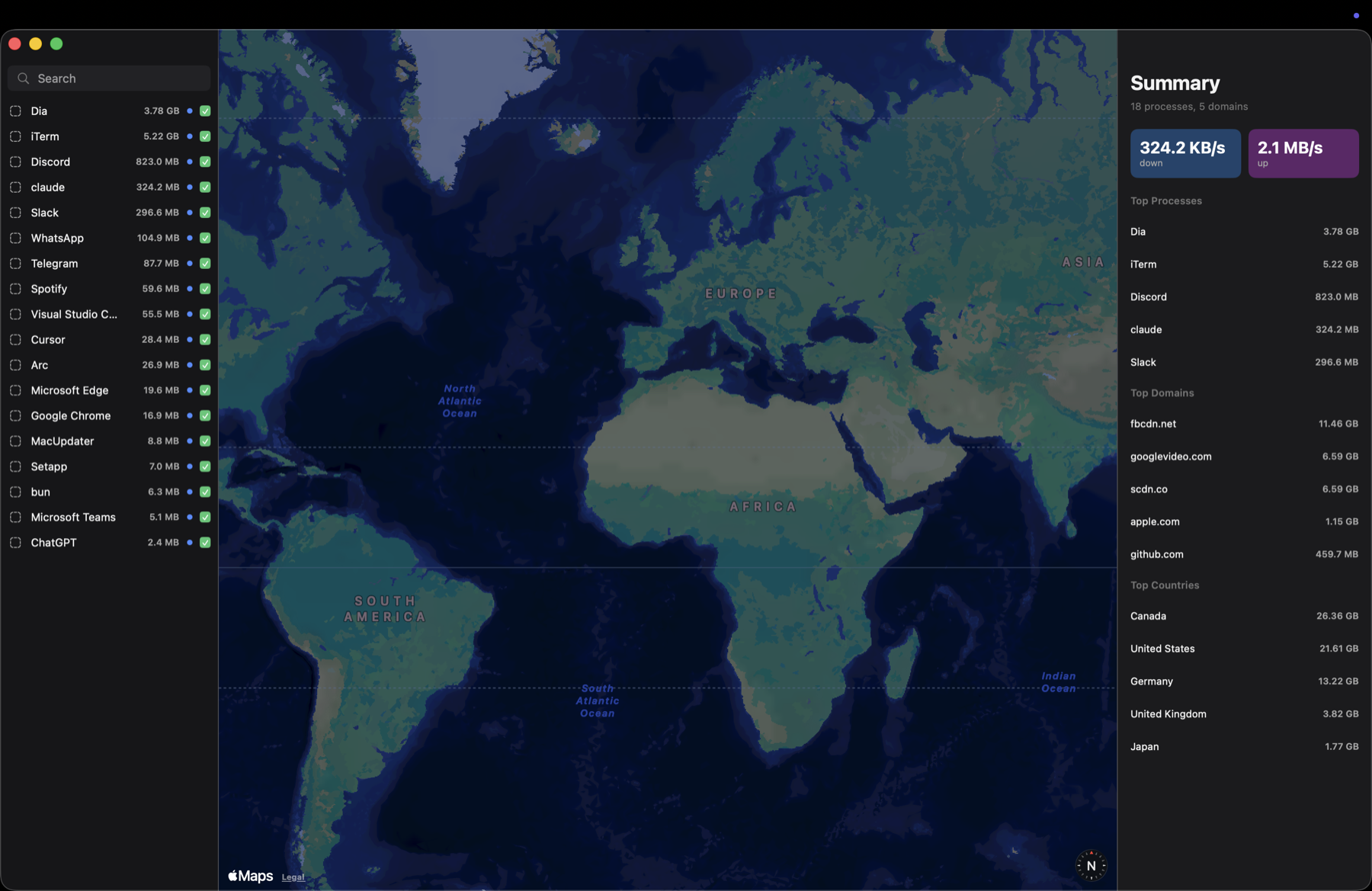
Browse active connections, sort and filter the monitor, and inspect the hosts associated with each process.
Bandwidth totals are measured per process.
Network monitor for Mac
See active connections and app bandwidth. Add opt-in, host-wide firewall rules. Free, open source, built for macOS.
Lower CPU usage. More reliable traffic rates. Safer helper cleanup.
Keep an eye on your Mac’s traffic from a native SwiftUI app and its menu bar companion.
Browse active connections, sort and filter the monitor, and inspect the hosts associated with each process.
Bandwidth totals are measured per process.
Check upload and download throughput, a five-minute traffic graph, and recent activity without keeping the monitor open.
Enable host-wide deny rules for IPv4 addresses, CIDR ranges, and ports using macOS’s packet filter.
Rules apply across the Mac, not to individual apps.
The experimental local proxy supports DNS over HTTPS and built-in lists from 1Hosts, OISD, StevenBlack, and HaGeZi.
Clients need manual setup. System DNS stays unchanged.
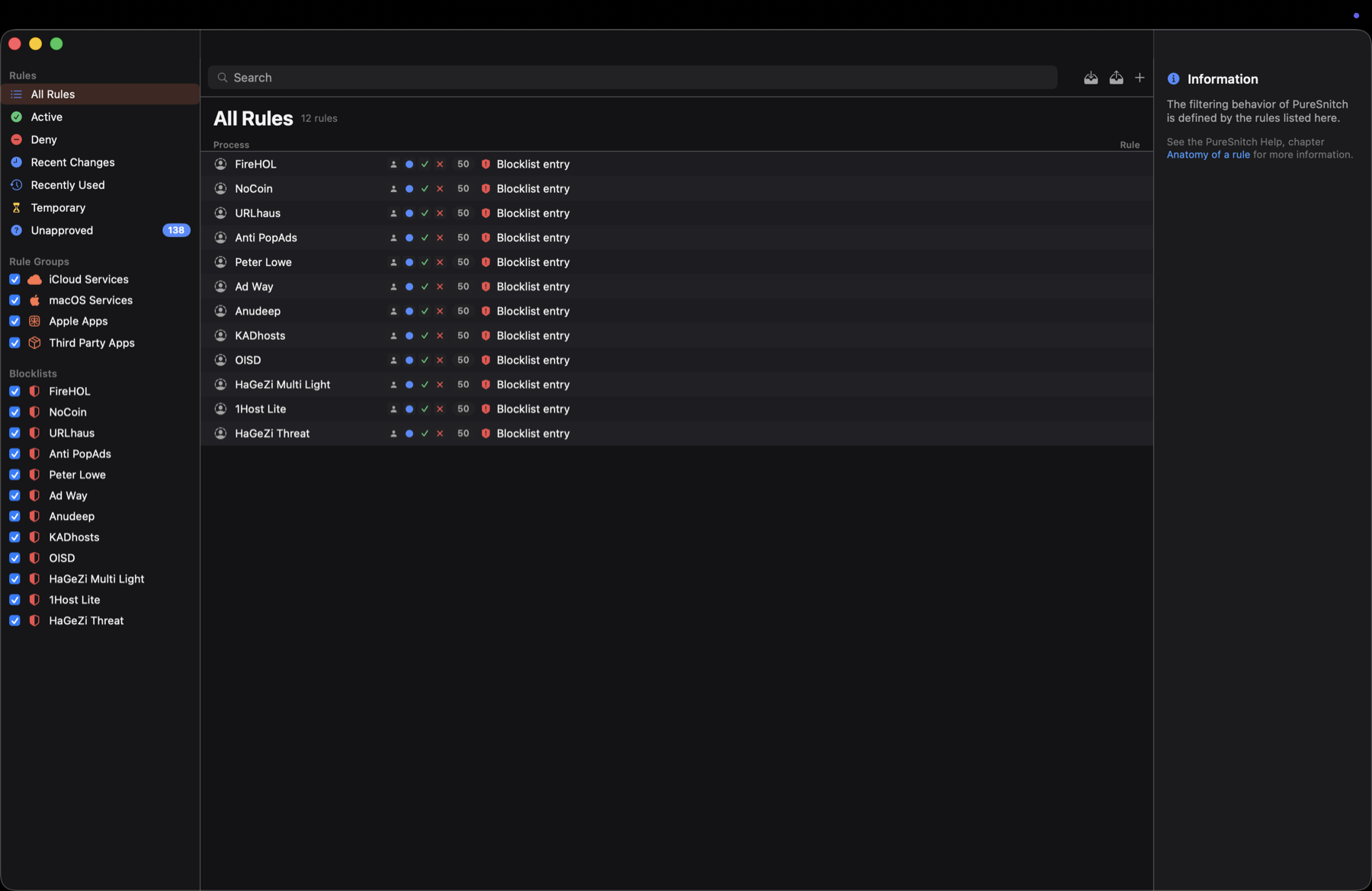
Search, enable, disable, and delete stored rules. Browse active, denied, temporary, and unapproved entries.
Persistent rules can be created from alerts triggered by the manually configured DNS proxy. These prompts apply to proxy requests only.
Explore the sourceGet started
One universal app for Apple Silicon and Intel Macs running macOS 13 Ventura or later.
The signed, Apple-notarized disk image is available on GitHub Releases.
Download for macOS/Applications before launching it.brew tap momenbasel/puresnitch
brew trust --tap momenbasel/puresnitch
brew install --cask puresnitchHomebrew requires the one-time tap trust step. The cask installs the signed release.
Already installed? Update withbrew upgrade --cask puresnitch
Unsigned builds open the interface only. Helper-backed monitoring requires the signed release or your own Developer ID signing.
Permissions, privacy, and the limits of the current release.
The app has no telemetry, analytics SDK, or crash reporter. It fetches enabled blocklists at helper startup and on request. DNS requests go to a DoH upstream only when a client is manually configured to use the experimental proxy. There are no live IP-geolocation requests.
The privileged helper reads connection activity and manages optional packet-filter rules. macOS must approve it before traffic monitoring works. Install the app in /Applications, then follow the approval banner in the app. No relaunch is needed after approval.
No. The shipping build’s packet-filter rules are host-wide and IPv4-only. Per-process filtering requires a Network Extension build that is not distributed. DNS-proxy rules cover only requests explicitly sent to that proxy, and passive app connections are not paused for decisions.
No. The experimental DNS proxy listens on loopback and needs manually configured clients. It does not change macOS’s system resolver. Host-wide firewall rules can interact with VPN routing or other firewall rules, so check your rules with the VPN enabled.
Open the app and resolve the legacy firewall prompt. Decide Later preserves legacy rules unchanged. Keep On replaces them with the current supported rule set and is unavailable when that store is empty. Turn Off deliberately removes them. Read the migration details before choosing.
Turn Enforcement Off and choose Remove Helper in the app first. Then remove the app or run brew uninstall --cask puresnitch. Version 0.2.2 also includes cleanup safeguards for removal without that step. The root-owned rule database remains on disk; see the release notes for legacy-state details.

MIT licensed, with the app, helper, and rule engine available on GitHub.